IINA 1.4.0 视频播放器


描述
iina 诞生于一个现代 macOS 应用程序,从其框架到用户界面。它采用了macOS的后优胜美地设计语言,并跟上了原力触摸,触摸栏和画中画等新技术的步伐。iina由开源媒体播放器mpv提供支持,几乎可以播放您拥有的所有媒体文件。借助youtube-dl和我们的浏览器扩展程序的支持,您还可以通过一键在iina中播放各种在线流。
- 基于mpv,可在 macOS 上提供最佳的解码能力
- 设计时充分考虑了现代版本的 macOS (10.11+)
- 视频和音乐所需的所有功能:字幕,播放列表,章节…还有更多!
- 强制触摸、画中画和高级触控栏支持
- 可定制的用户界面,包括多种配色方案和屏幕控制器 (OSC) 布局定位
- 专为音频文件设计的独立音乐模式
- 视频缩略图
- 在线字幕搜索和智能本地字幕匹配
- 无限播放历史记录
- 视频/音频滤波器的便捷交互式设置
- 完全可自定义的键盘、鼠标、触控板和手势控制
- 适用于高级用户的 mpv 配置文件和脚本系统
- 提供命令行工具和浏览器扩展
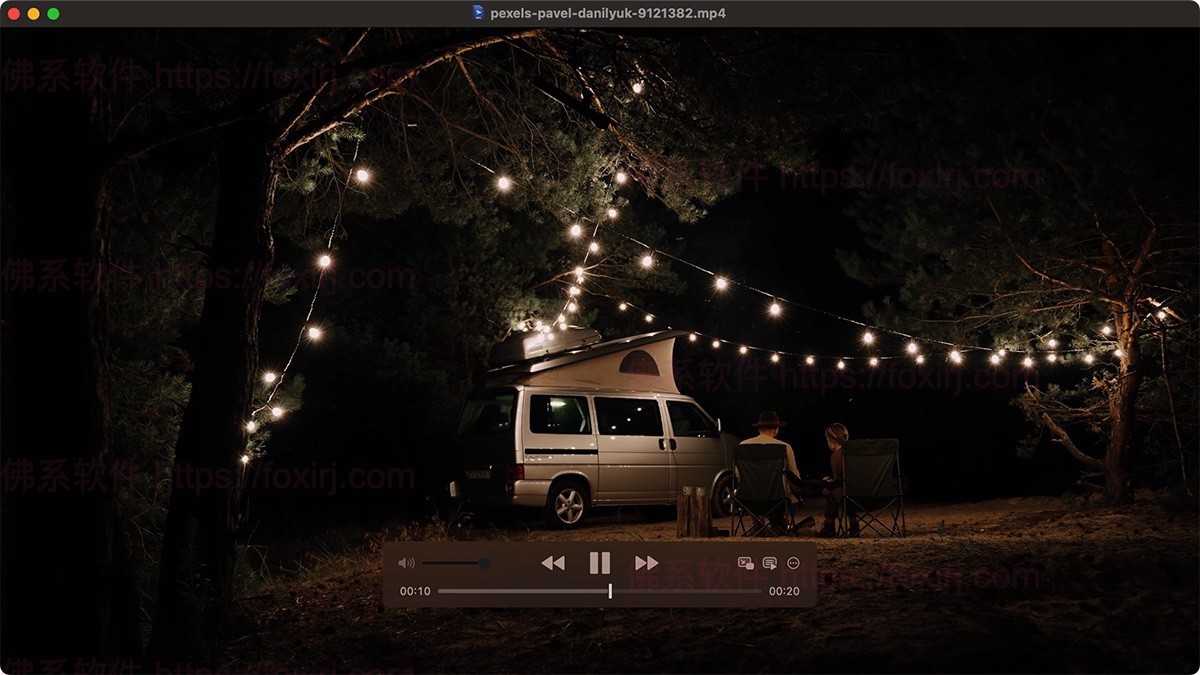
截图
更新日志
The Plugin System is Now Available
IINA 1.4.0 introduces a plugin system that lets users extend IINA's functionality with JavaScript plugins.
Learn more about the plugin system at http://iina.io/plugins/. IINA 1.4.0 ships with several built-in plugins, including:
- Online Media (iina/plugin-online-media): Enhances the experience of playing online media.
- One-click yt-dlp update
- On-the-fly video/audio quality selection
- Video downloading
- OpenSubtitles (iina/plugin-opensub): Lets users search and download subtitles from OpenSubtitles with a user-friendly sidebar interface.
- User Scripts (iina/plugin-userscript): Allows users to add code snippets to customize IINA's behavior.
New
- The plugin system is enabled by default.
- Improved user interface for macOS Tahoe #5544.
- Added support for Hebrew #4867, Croatian #4966, and Indonesian locales.
- The playback history window now respects the system's reduce motion settings #4870.
- Added a new option to always show the OSC #4366.
- Added an option to disable embedded subtitles #501; overhauled subtitles menu #4235, #507.
- You can now double-click an input config name to rename it #4960.
- Added support for ReplayGain #4915.
- You can now use ESC to close the subtitle download OSD #4996.
- Added support for screenshots in WebP #3225 and JPEG-XL formats for HDR content #3852.
- Added support for mpv's 'screenshot window' command #4505.
- Added an option to select Core Audio or AVFoundation as the audio driver #5137. Spatial Audio is supported when using AVFoundation #3444. AVFoundation is experimental and may cause delays in some scenarios.
- Added support for adjusting secondary subtitles in the quick settings panel #5020.
- Added an option to enable the screensaver when playing audio #4954.
- Added settings to suppress certain OSD messages #4991.
- Added "Show Current File in Finder" under the File menu #5001.
- Added a new "scale" level to ASS subtitle override levels #5050.
- Separated ASS subtitle override level settings for primary and secondary subtitles #4433.
- Show OSD when loop status changes #5055.
- Added support for saving EQ presets #525.
- Added an option to enable repeat mode by default #2139.
- Allow dropping m3u playlist files into the Welcome window #5178.
- Support cover artwork in the "Now Playing" widget #5336.
- The Online Media plugin now has options to load subtitles and auto-generated subtitles.
- The Online Media plugin now supports raw yt-dlp options.
- Added DSD/DSF file association #5381.
- Added "folder" association for third-party app support #5488.
- Added drag-and-drop support for m3u and m3u8 playlists #5311.
- Added new settings to disable mouse scrolling #5451.
- Added new settings for showing buffering throbber #5580.
- Added new settings to limit the minimize-on-PIP feature to video mode only #5068.
Bug Fixes
- Fixed thumbnails sometimes displayed in the wrong aspect ratio #4736.
- Fixed memory leaks #4449.
- Fixed text clipping in the audio delay slider in certain languages #4951.
- Fixed the screenshot OSD not localized for some languages.
- Fixed incorrect buffering indicator behaviors #4064, #4470.
- The navigation keys now don't trigger menu actions when in input fields in the player window #3039, #3206.
- Fixed incorrect behaviors of automatically switching to music mode #4461.
- Fixed window position changes when using pinches to adjust window size #4681.
- Fixed UI elements not synced when changing modes #5039, #4985.
- Fixed "cycle-values" commands not showing values in readableCommand.
- Fixed the app icon in the welcome window not accepting drag and drop.
- Fixed color management #5213 and HDR-related issues #5124.
- Fixed a crash when quitting IINA #5056.
- Fixed IINA not starting if a previously connected file server cannot be reached #4973.
- Fixed broken color management #3929.
- Fixed HDR management consistency issue in PIP #5295.
- Fixed OSC does not appear in full screen mode #5288.
- Scroll wheel scrubbing not working in the top on-screen control configuration #3863
- Honor “open in new window” setting when opening multiple files at once #5071
- Speed display in the on-screen control not updating in some cases #4052
- The "always on top" indicator in the title bar displayed at the wrong position in RTL languages #5094
- Wrong title displayed in time and battery info section #5243
- Opening and closing side bar leaves video distorted #5245
- OGG file metadata not displayed in playlist before playing #5314
- The system "Now playing" widget not occupied by IINA when not playing #4331
- Playback position doesn't match the "Now playing" widget #5337
- Temporary files not deleted in the plugin directory #5394
- Subtitle download panel always use light text color #5378
- Externally loaded subtitles not automatically selected #5399
- Increasing Video Speed and holding down seek arrow keys leads to IINA freezing #5403
- save-position-on-quit in mpv.conf not working #5408
- IINA No Longer Remembers Screen to Launch On #5450
- Online Media plugin failed to download some video
- Hard Delete Current File action causes an error while streaming #5468
- The content in Log Window is right to left in Hebrew #4944
- Title bar blends with video in full-screen mode #5470
- Crash when playing a file after opening the About window #5319
- Crash when opening some mp3 files #5602
- On screen display (OSD) having floating point precision issues #5472
- UI Freeze on resize video window #5482
- IINA not auto adding files to the playlist when there's another video playing #5487
- Fix user experience issues when using legacy full screen #5612, #5609
Improvements
- Improved performance when rendering the video #5531
- Renamed "Preferences" to "Settings" across the app #4038
- Keyboard shortcuts for playlist and chapter panel now works in music mode #1751, #5412
- The playlist can be resized with a much larger maximum width #4887
- Chapter indicators in the progress bar are now more visible #5144
- The rewind button now rewinds to the beginning of the file when there is only one track #4611
- Remaining time adjusted with the playback speed #5580
- Show thumbnails for videos on a mounted drive #4480
- More mappings for click and scroll actions via preferences #5348
- Use title-style capitalization, shorten text in push buttons in Settings #5240
- Fixed some UI consistency issues #5244, #5587, #5233, #5567, #5590
- Inspector overhaul #4521, #4546, #5034.
- Handle BDMV folder correctly #1521.
- Improvements to the video filter presets window to prevent text truncation #1098.
- The music mode window can now be minimized #2382.
- The find online subtitle OSD is always displayed regardless of the OSD setting #4992.
- UI improvements to key bindings and advanced tabs #4129.
- Fix wobbling when the window is being resized during video playback #4667.
- Improvements to the subtitle chooser #4833.
- Remove the resize animation on opening media and switching music/video modes #5054.
- Disable the resizing animation when opening another video if the animation is disabled in settings #5033.
- Real-time OSD updates for pause, resume, and seek #4545.
- UI improvements to OSC toolbar settings #4165.
- Disable "Delete Current File" menu item when streaming #5011.
- UI and UX improvements when loading network resources #5152.
- Improvements to speed adjustment UI and OSD #5175.
- Added live update for color-related options in the codec preference panel #5204.
- Improved the performance when entering and exiting full screen mode #5352.
Updates
- IINA 1.4.0 will require macOS Catalina or later for x86 and macOS Monterey for ARM Macs #4837.
- Bumped mpv to 0.38.0 #4988.
- Fixed subtitle shadow angle issue #4770.
- Fixed m3u playlist items not opening due to special characters #4091.
- Supported MPV crop attributes #4791.
- Updated FFmpeg to 7.0.1 #4988.
- Fixed DXV3 format playback issue #4269.
- Bumped Sparkle from 2.4.0 to 2.6.3.
- Some default key bindings have changed to prevent conflicts #4786.
- Use more SF symbols #3058, #5125.
- Updated bundled yt-dlp.
- IINA 1.4.0 now requires macOS 10.15 Catalina for Intel Macs and macOS 12 Monterey for Apple Silicon Macs.
使用说明
直接安装
文件属性
| 版本:1.4.0 | 开发者:IINA |
| 大小:95.8MB | 激活方式:免费版 |
| 语言:中文简体 | 兼容 11 Big Sur |
| 兼容性:macOS 10.15及以上 | 兼容 12 Monterey |
| 处理器:ARM/Intel | 兼容 13 Ventura |
| 兼容 14 Sonoma | |
| 兼容 15 Sequoia |
软件下载
百度网盘

来源:百度网盘 | 提取码:tacp
夸克网盘

来源:夸克网盘 | 提取码:iaEn
123网盘
此隐藏内容仅限VIP查看升级VIP
版权与免责声明
本站名称:
佛系软件
永久网址:
https://foxirj.com/
1
本文内容遵守 CC BY-NC-SA 4.0 协议,转载请注明出处及本站链接。
2
本站资源大多存储在云盘网盘,如遇链接失效或提取异常,请在评论区提醒,我们将尽快修复。
3
本站部分资源来源于网络,仅供交流学习。如有侵权,请联系邮箱
2977443056@qq.com
核实后火速删除。
4
5
免责声明与法律条款:
根据《计算机软件保护条例》第十七条规定,为了学习和研究软件内含的设计思想和原理,通过安装、显示、传输或者存储软件等方式使用软件的,可以不经软件著作权人许可,不向其支付报酬。本站所有资源均收集整理自互联网公开渠道,仅供个人技术研究、学习与交流,严禁用于任何商业牟利或非法用途。请在下载后 24 小时内 从设备中完全删除;若因超期留存或商业使用产生版权争议,责任均由使用者自行承担。如您喜欢该软件,请支持并购买官方正版授权。
THE END